For mortgage software
Take insurance off your
lenders’ closing list.
Your LOS, point of sale or AI assistant sends the loan. Licensed local insurance agents quote it, and the binder comes back to the loan. Build it once, and each lender turns it on with its own key.
Free to connect. Nothing paid for a referral, in either direction.

Used by mortgage professionals at these lenders, not endorsed by them.
- Future Mortgage
- CrossCountry Mortgage
- Roseth Mortgage
- Movement Mortgage
- American Pacific Mortgage
- JWK & Associates
- Residential Mortgage
- Umortgage
- Ease Mortgage
- Future Mortgage
- CrossCountry Mortgage
- Roseth Mortgage
- Movement Mortgage
- American Pacific Mortgage
- JWK & Associates
- Residential Mortgage
- Umortgage
- Ease Mortgage
- Future Mortgage
- CrossCountry Mortgage
- Roseth Mortgage
- Movement Mortgage
- American Pacific Mortgage
- JWK & Associates
- Residential Mortgage
- Umortgage
- Ease Mortgage
- Future Mortgage
- CrossCountry Mortgage
- Roseth Mortgage
- Movement Mortgage
- American Pacific Mortgage
- JWK & Associates
- Residential Mortgage
- Umortgage
- Ease Mortgage
- Future Mortgage
- CrossCountry Mortgage
- Roseth Mortgage
- Movement Mortgage
- American Pacific Mortgage
- JWK & Associates
- Residential Mortgage
- Umortgage
- Ease Mortgage
- Future Mortgage
- CrossCountry Mortgage
- Roseth Mortgage
- Movement Mortgage
- American Pacific Mortgage
- JWK & Associates
- Residential Mortgage
- Umortgage
- Ease Mortgage
- Future Mortgage
- CrossCountry Mortgage
- Roseth Mortgage
- Movement Mortgage
- American Pacific Mortgage
- JWK & Associates
- Residential Mortgage
- Umortgage
- Ease Mortgage
What your product gains
Less chasing for your loan officers
Insurance becomes a status they watch in your software. Once a lender requests the binder, the insurance agent is reminded until closing day.A reason lenders choose software
Cost, functionality and integrations are lenders’ top three reasons for choosing a technology provider.Fannie Mae lender survey, 2024Nothing new for you to run
No insurance agents to manage and nothing to pay. Your software shows where each loan stands.A new skill for an AI assistant
One OpenAPI document: send the loan, follow it, fetch the binder.
What your lenders and their borrowers get
The insurance condition, handled from the software they already work in. Five parts of it, on real screens.

The loan arrives filled in.
The borrower, the property and the loan details fill themselves from the loan your software sends. Nothing is typed twice.
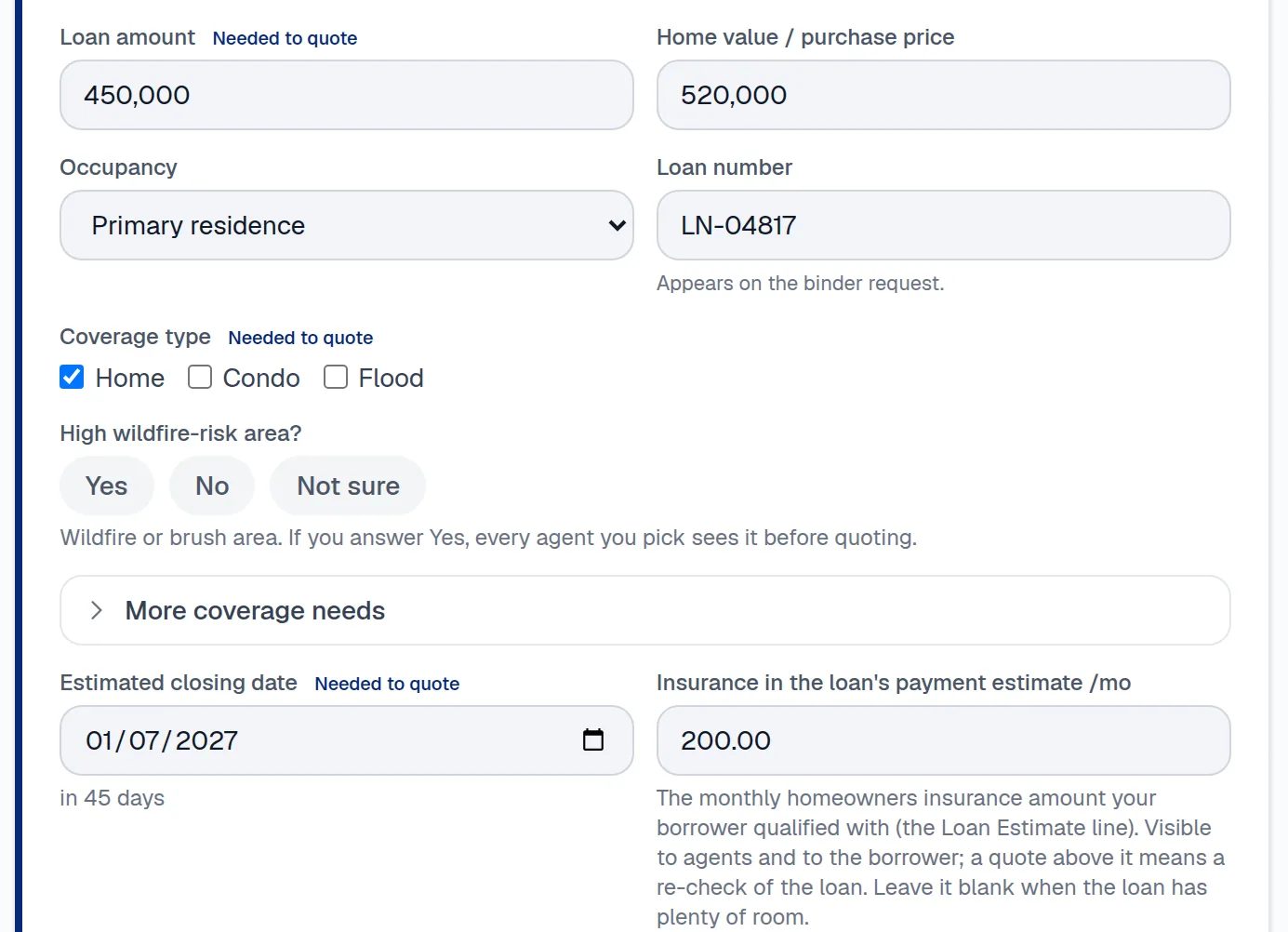
An imported loan, ready for the lender’s OK. Sample data. Their own agents, or new ones.
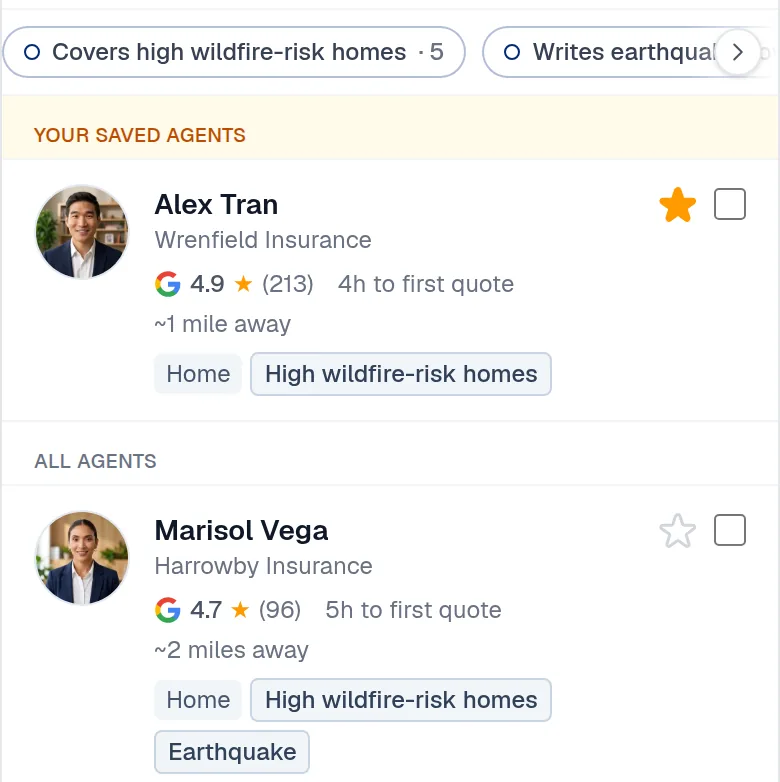
A lender starts with the insurance agents it already trusts, or finds one near any home. The borrower still sees every quote and picks their own agent.
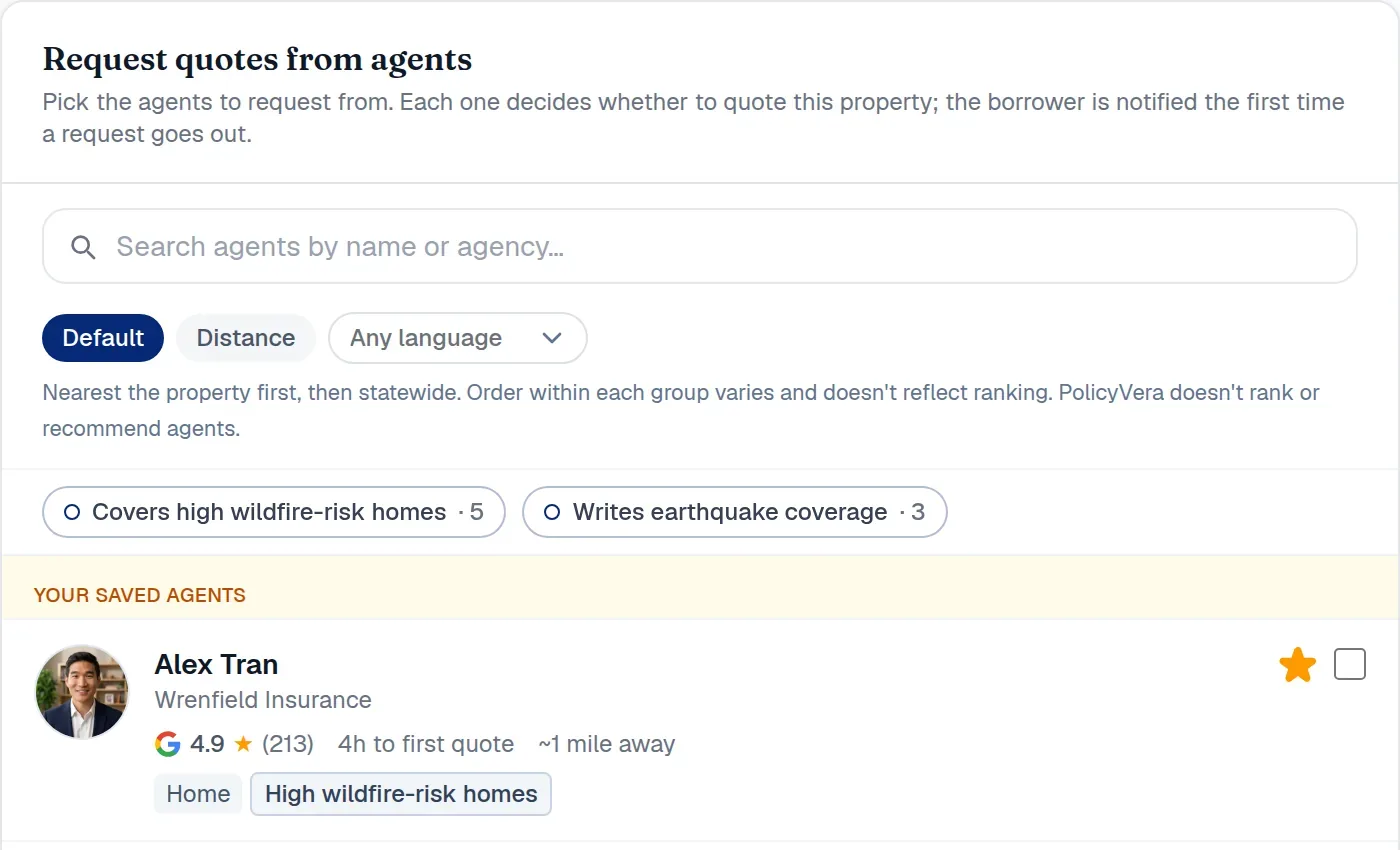
Choosing agents for a borrower. Sample data. Even the hard files.
Fire, earthquake, FAIR Plan: the file flags it, and the list finds agents who say they cover it.
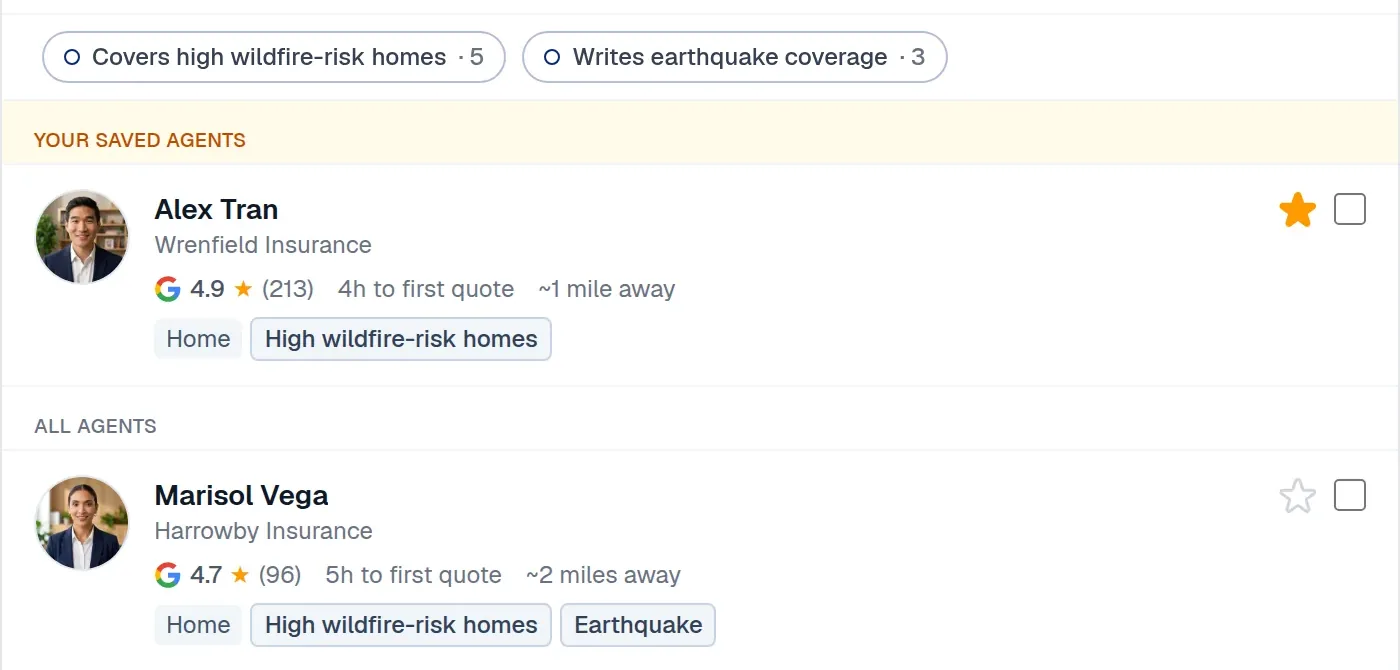
One press shows only the agents who say they write it. Sample data. Quotes checked against the loan.
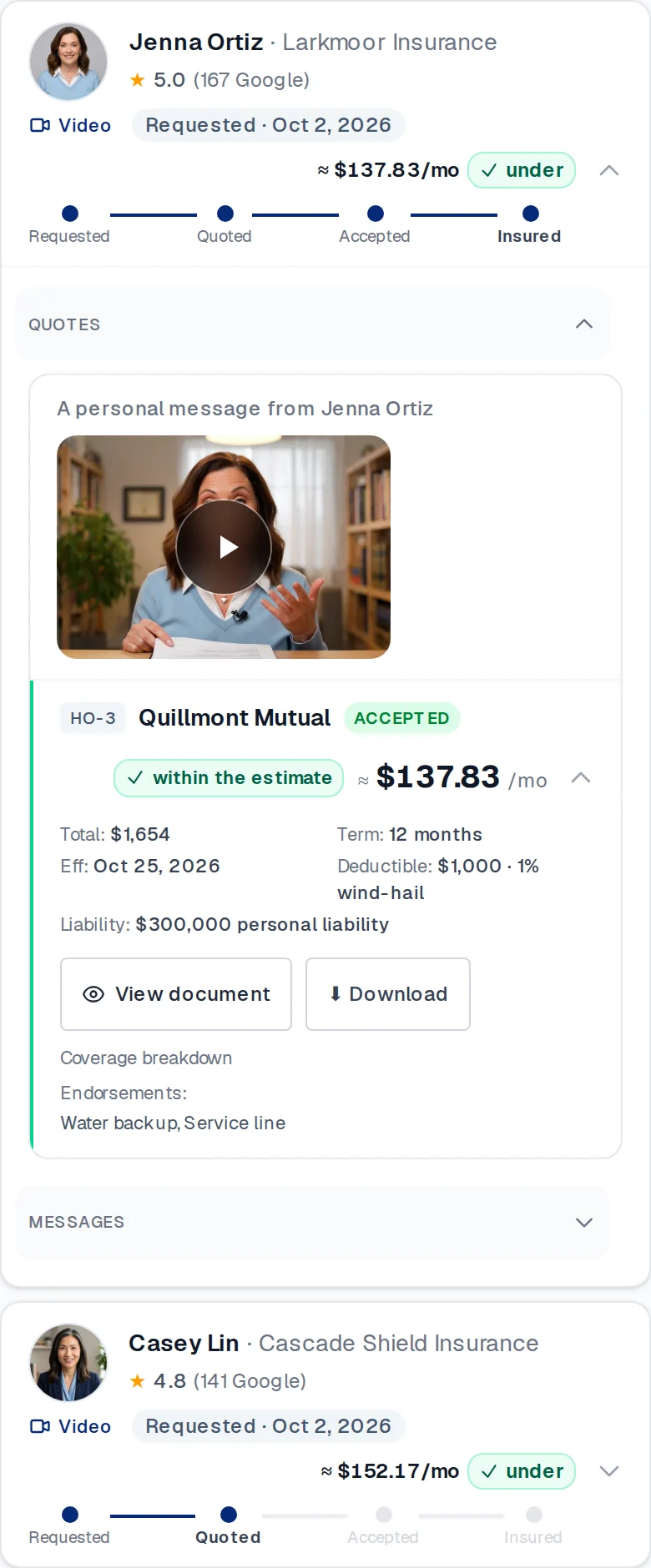
Send the monthly insurance figure the loan was qualified with. Every quote is marked under or over it, while there is still time to fix it.
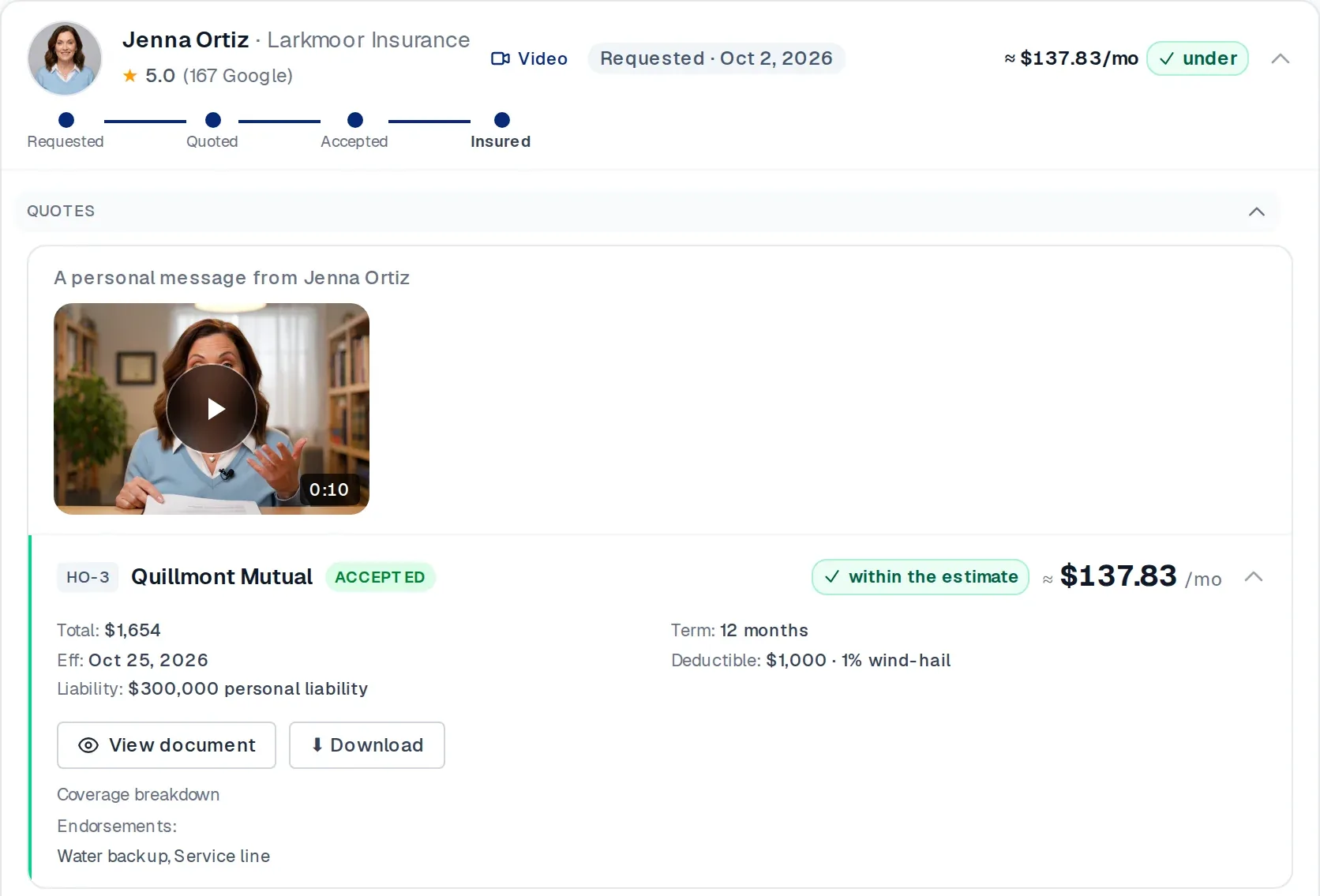
A borrower’s file. Sample data. The binder, checked line by line.
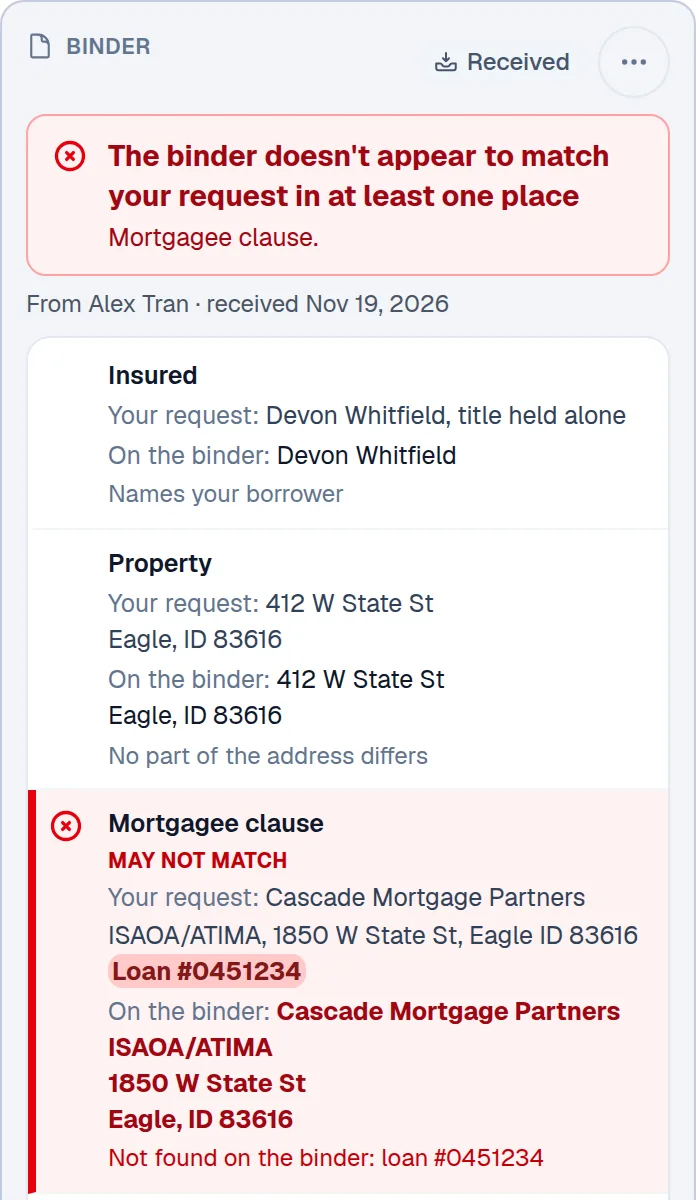
Names, address, mortgagee clause, loan number, Coverage A, deductible and effective date, beside the lender’s request. A difference is flagged in red.
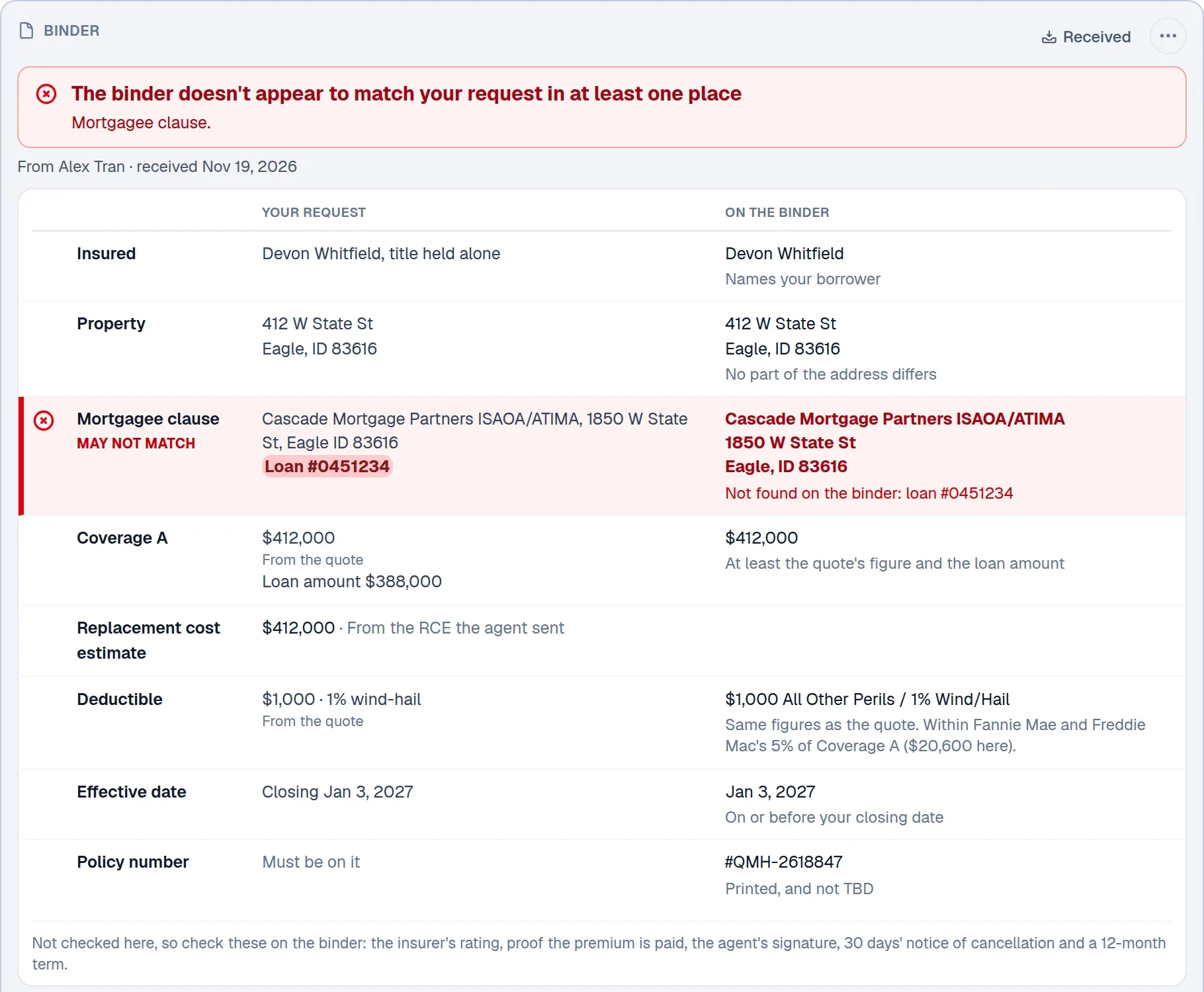
A binder checked against the request. Sample data.
What you build
Three calls and one settings box in your LOS or point of sale. The quoting, the insurance agents and the binder happen in PolicyVera.
Send the loan
One call per loan, as JSON or as the MISMO 3.4 file your system exports.Show where it stands
Signed events as quotes arrive and coverage is bound. Or read the loan at any time: its status, what the lender does next, and a link to it in PolicyVera.Fetch the binder
The delivered file’s address arrives withbinder.ready, and its lines with it: policy number, coverage, deductible, mortgagee clause.One settings box
Each lender pastes its own PolicyVera key into your product. There is no shared key.
Built once, it stays built. Fields are added, never renamed or removed.
- Binder
- binder.pdf
- Policy
- EM-4471902 · starts Aug 15, 2027
- Coverage A
- $350,000 · deductible $2,500
- Mortgagee clause
- Example Mortgage Co ISAOA/ATIMA, PO Box 100, …
- Lines to check
- Coverage ADeductible
Who does what
You build the connection. Each lender chooses to turn it on and stays in charge of its loans. The borrower stays in charge of the choice.
- Your team
- Builds the connection once: send a loan as JSON or as a MISMO 3.4 file, follow it by events or reads, fetch the binder. Tests it under a sandbox key, with no lender.
- Each lender
- Makes its key and pastes it into your settings. Sets your address for events.
- A person at the lender
- Gives each loan the OK and picks the agents, in PolicyVera.
- The borrower
- Compares every quote and picks their own agent.
Common questions
What does it cost?
Nothing. Connecting is free, and PolicyVera is free for lenders and borrowers: no fees, no revenue share, no contract.
Which software can connect?
A loan origination system (LOS), a point of sale, a CRM or an AI assistant: anything that holds the loan and can call an API. A lender on Encompass or Arive connects its own account on our Integrations page.
Is this RESPA-safe?
PolicyVera is built around RESPA Section 8: nothing of value is paid for a referral. Not to you, not to a lender, not to a loan officer. Each lender chooses to turn it on, and promises never to require a borrower to use it. The borrower sees every quote and picks their own agent.
We are building an AI assistant, not a loan system. Does this fit?
Yes. It is the same API: JSON over HTTPS with a key. Every call, field and answer is in one OpenAPI document.
Is this embedded insurance?
In part. The loan’s insurance status, the lender’s next step and the binder show inside your product. The borrower compares quotes in PolicyVera.
Does a lender still open PolicyVera?
Yes, for two things. A person at the lender gives each loan the OK, and picks the agents who quote. Your screen can show whose move it is, with a link straight to that loan. A lender’s account is free, and it makes its key there.
What happens when the API changes?
Fields are added, never renamed or removed. A change that would break your build ships on a new address. Service status is public at status.policyvera.com.
Will you name our product?
Yes. Once a lender is live on your connection, your product is named on our Integrations page.
What happens to a borrower’s data?
A Social Security number, income or assets in a loan you send are never stored. Security details
Start building today
Open a sandbox: a private workspace with a test key and made‑up loans. Nothing in it reaches a lender, an insurance agent or a borrower.
Rather talk first? Ask us a question
curl -X POST https://policyvera.com/api/webhooks/partner-intake \
  -H "Authorization: Bearer pv_test_YOUR_KEY" \
  -H "Content-Type: application/json" \
  -d '{"loan_id":"ABC-12345",
       "borrower":{"first_name":"Jane","last_name":"Doe",
                   "email":"jane@example.com"},
"subject_property":{"street":"200 New Home Ave","state":"ID"}}'{
"status": "test",
"sandbox": true,
"pending_import_id": "9c1f0e7a-2b4d-4f6a-8a1c-5d3e7b9f0a12",
"quote_ready": false,
"missing_for_quote": ["Phone", "Date of birth",
"Marital status", "Where the borrower lives now",
"Estimated closing date", "Loan amount",
"Who will hold title"],
"state_supported": true,
"message": "Test key (sandbox): payload validated and held in …"
}Going live. Each lender makes its own key in its PolicyVera account and pastes it into your product. A lender new to PolicyVera applies in minutes. We check its NMLS record and approve within 24 hours.